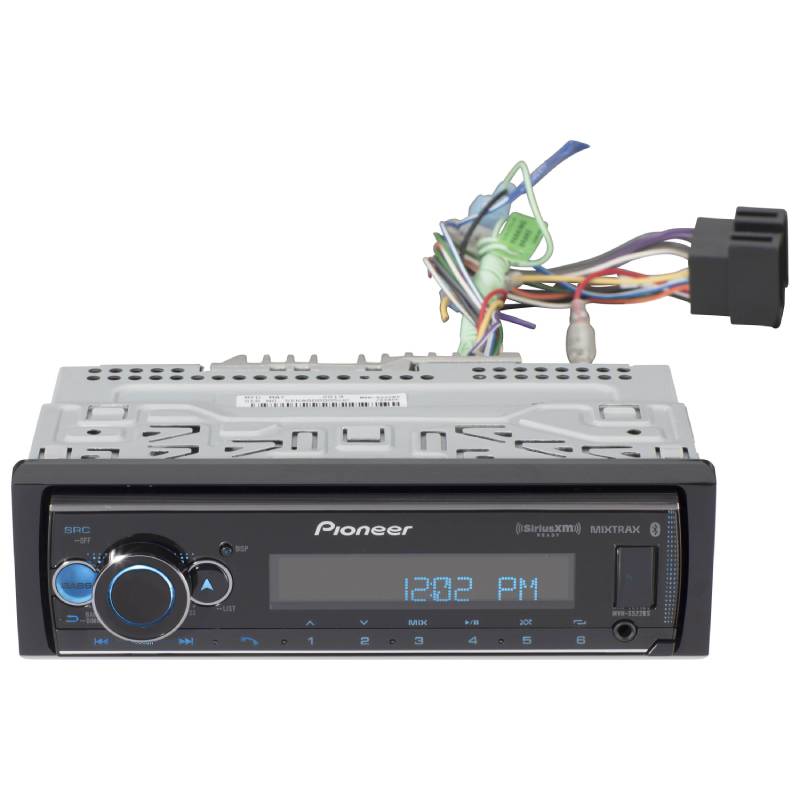
Pioneer MVH-S522BS 1-DIN In-dash Audio Digital Media Receiver with Amazon Alexa, Pioneer Smart Sync, Bluetooth®, Android™, iPhone®

We are a Pioneer authorized dealer so you get up-to-date, fully warrantied products. Shipping is free to the lower 48 states on everything you order!
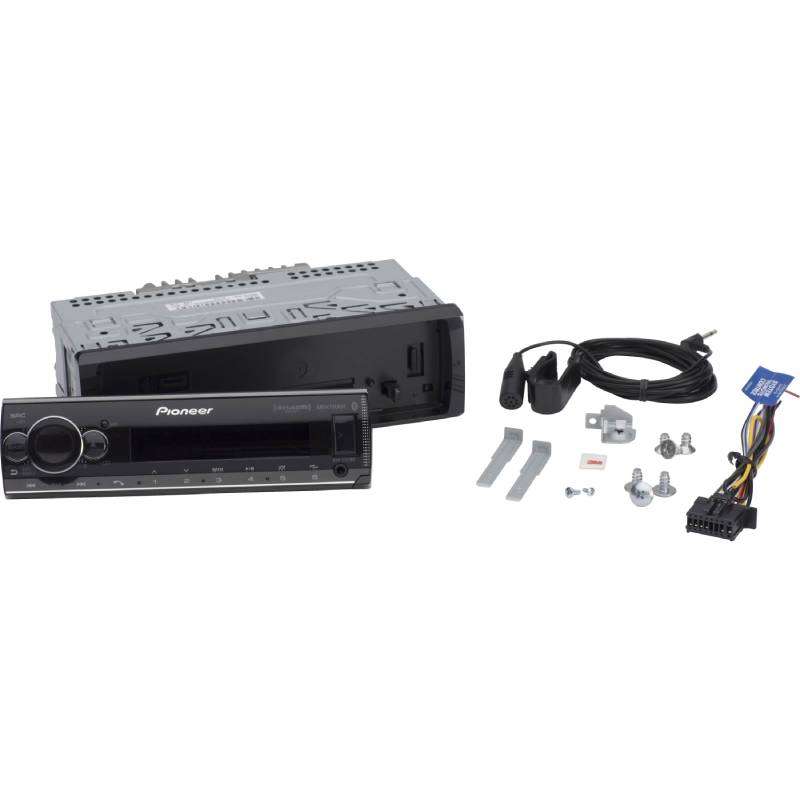
What's Inside?
- • Digital media receiver (10A fuse)
- • Face (attached)
- • Trim-ring (installed)
- • Sleeve (installed)
- • Wiring harness
- • Microphone w/ bracket (attached 10' cable terminated by a right-angle 2.5mm connector)
- • (4) Pan head ISO-mount screws (M5 x 8mm)
- • (4) Flat-head ISO-mount screws (M5 x 9mm)
- • (2) Removal tools
- • Face-fixing screw
- • Bracket
- • Quick Start Guide
- • Warranty Information
- • Owner's Manual
Why Choose Pioneer MVH-S522BS Digital Media Receiver?
Sound That Can Be Tuned Your Way
Fine-tune your audio using a 13-band EQ, bass boost, and Advanced Sound Retriever to restore compressed music detail. Built-in digital time alignment and speaker adjustments further optimize the soundstage for balanced cabin acoustics.
Smart Drive Control Made Simple
Pioneer MVH-S522BS works with Pioneer Smart Sync to bring your phone and car system together in one easy setup. You can access maps, messages, and music through a single interface that feels familiar and simple to use. Connection is done through USB or Bluetooth, so your most used apps are always within reach while you drive.
Wireless Connection That Keeps You Moving
Built-in Bluetooth 4.0 provides reliable hands-free calling and wireless music streaming with support for up to five paired devices. Featuring Alexa Built-In and voice control for Siri and Android, it lets you manage calls, music, and navigation entirely hands-free.
Built for Music and System Expansion
This unit offers wide music support—including Spotify, Pandora, Tidal, and YouTube Music—along with USB playback for MP3, FLAC, WAV, and AAC files and high-speed device charging. Built for system expansion, it features 4V RCA preouts, crossover controls, subwoofer management, MIXTRAX lighting effects, and optional OBD-II support for real-time vehicle performance tracking.
Frequently Asked Questions (FAQ)
- • Why won't my phone pair with the receiver through Bluetooth?
Old pairing records or Bluetooth conflicts are the most common causes of pairing failures. Delete the existing pairing from both devices and perform a fresh Bluetooth setup.
- • Why does the music skip when streaming wirelessly?
Audio interruptions are often caused by wireless interference or outdated phone software. Keeping your phone close to the receiver and updating its operating system can improve playback stability.
- • Why doesn't the receiver recognize my USB flash drive?
The USB drive may be formatted with an unsupported file system or contain incompatible audio files. Formatting the drive to FAT32 and using supported file formats usually fixes the problem.
- • Why do all of my radio presets disappear after I turn off the ignition?
This usually means the constant battery wire and accessory wire are connected incorrectly. Correcting the wiring allows the receiver to save presets and other settings.
- • Why can't I control Pandora or Spotify from the receiver?
Make sure the latest version of the music app is installed and your smartphone is connected properly. Some features also require specific USB or Bluetooth connection methods depending on your device.
- • Why is my caller saying they can't hear me clearly during hands-free calls?
The microphone may be installed too far away or pointed in the wrong direction. Relocating the microphone closer to the driver and away from air vents can improve call quality.
- • Can I add a subwoofer and external amplifier later?
Yes. The receiver supports external amplifiers through its preamp outputs, making future audio upgrades simple.
- • Why is there alternator whine coming through my speakers?
Engine noise usually points to a grounding problem or poorly routed RCA cables. Improving the ground connection and separating audio cables from power wires often eliminates the noise.
- • Why won't the receiver power on after installation?
A blown fuse, loose ground wire, or incorrect power connection is the most common cause. Verify the wiring, inspect the fuse, and make sure both constant and switched power are connected correctly.
- • Why does the display seem too dim during the day?
The dimmer setting or vehicle illumination wire may be affecting screen brightness. Adjust the display settings and verify the illumination wire is connected correctly if applicable.